A story does not have to stay only on paper. It can live on a tablet, a computer, or a class screen for everyone to read. When children write with digital tools, they can type words, add pictures, listen to words, and even work with friends. With help from adults, digital writing becomes a fun and powerful way to make ideas easy to share.
Digital writing is writing made on a device, such as a computer or tablet. Children can write their names, labels, sentences, stories, or class books. They may type letters on a keyboard, tap letters on a screen, or say words aloud for the device to help write them.
Digital tools are devices and apps that help us make writing. Produce means to create the writing. Publish means to share the writing so other people can read or see it. Collaborate means to work together.
Adults help children use the right tool for the job. A teacher might open a writing app, help a child log in, or show where to click to save. An adult can also help a child stretch out a word, reread a sentence, and fix a missing capital letter or period.
Digital writing can take many forms. A student might type, "I like red fish." Another student might help make a class page that says, "We see birds." A class may even create a slideshow with one sentence on each page.
Writers can use many digital tools to make writing, as [Figure 1] shows. A keyboard helps students type letters and spaces. A tablet screen lets students tap words. A microphone tool can help when a child says a sentence and watches the words appear. Some programs let students add a picture to match the words.
Each tool helps in a different way. Typing can help make neat letters. A picture tool can help show what the writing is about. A spell-check tool or word wall on the screen can help with tricky words. Teacher-approved apps help children stay focused on writing.
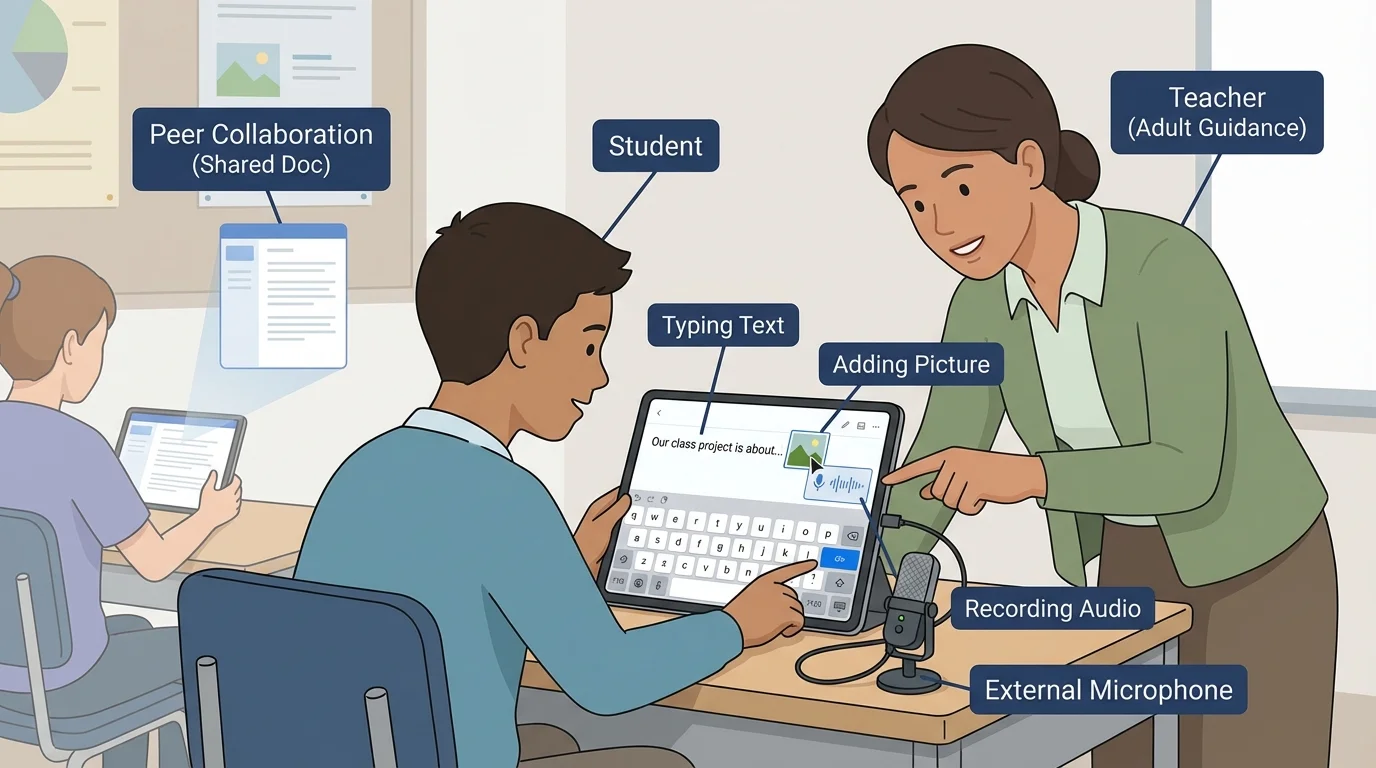
Sometimes a child writes one short sentence. Sometimes the class makes a page together. An adult may say, "Let's put the title at the top," or "Click here to add your picture." That support helps children learn how writing gets made and shared on a device.
Some digital tools can read words aloud. Hearing the words can help a young writer notice if something sounds missing or wrong.
Writers also learn that tools should be used carefully. Hands stay gentle on keyboards. Students click only where the teacher says. If something confusing pops up, they ask an adult for help right away.
[Figure 2] Good digital writing is not only about getting words on the screen. It is also about making the writing easy to read. Writers use a capital letter at the beginning of a sentence. They put spaces between words. They end a telling sentence with a period and a question with a question mark.
Writers also try to spell words the best they can. Adults may help by saying sounds slowly, showing a word on the board, or helping children use a digital spelling tool. If a child writes "mi dg," the adult can help the child hear the sounds in "my dog" and fix the words.
Rereading is important. A child can point to the words on the screen and read them again: "I see a cat." If the sentence says "i see acat," the writer can fix the capital I, add the space, and put in a period.
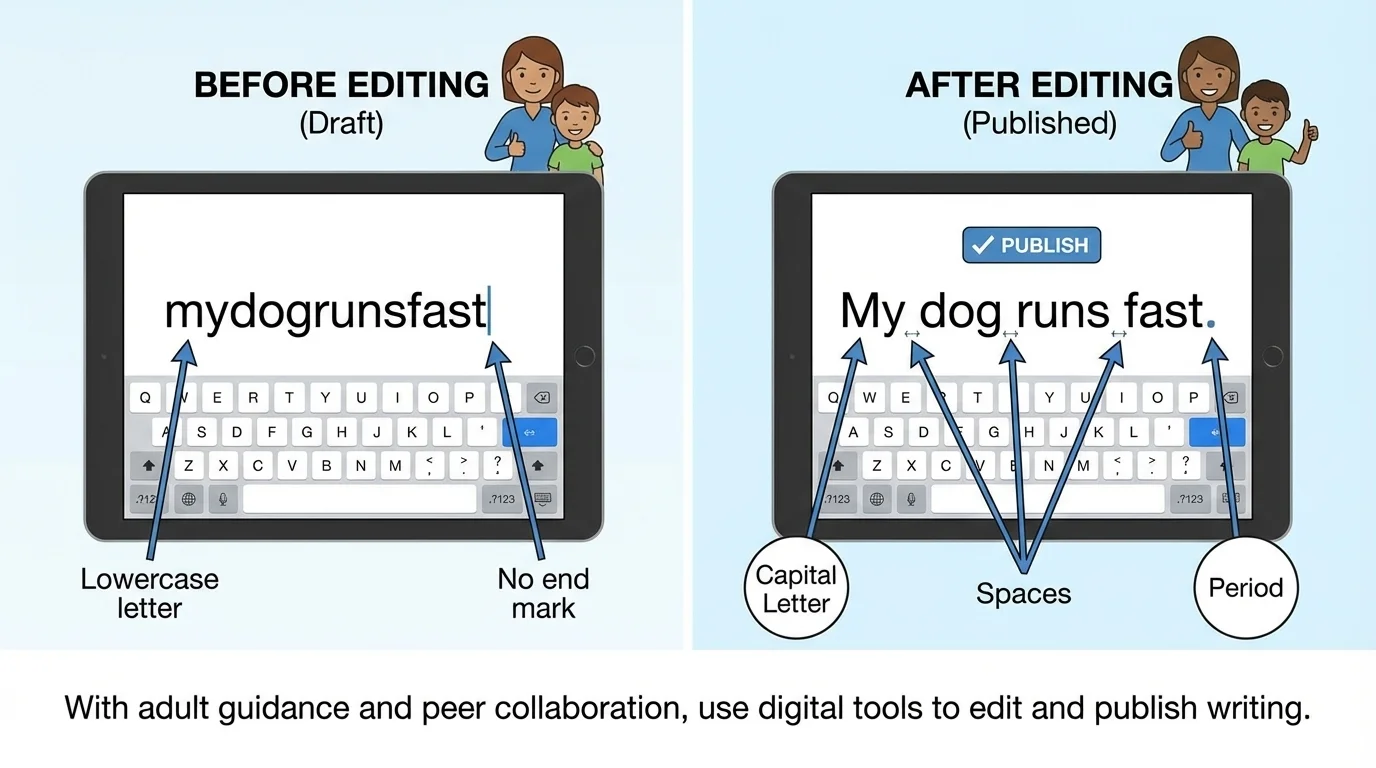
Digital tools make editing easier. A child can backspace, add a missing letter, or move the cursor to fix a mistake. As we saw in [Figure 2], even a small change like adding a capital letter or period makes writing much clearer.
Example: Fixing a digital sentence
A student typed: we like sun
Step 1: Add a capital letter at the beginning.
We like sun
Step 2: Check that the words have spaces.
The spaces are correct.
Step 3: Add punctuation at the end.
We like sun.
The sentence is now easier to read.
Writers can also make a title, such as My Pet or Birds. A title tells what the writing is about. Teachers often help students place the title at the top and make sure it starts with a capital letter too.
Sometimes writing is a team job. This is called collaborating, and [Figure 3] shows one way children do it. One child may think of the sentence. Another child may type it. A third child may choose a picture. An adult helps everyone take turns and listen to one another.
When children work together, they learn that each person can help the writing grow. One child may remember the capital letter. Another may hear a missing sound in a word. Another may notice that the sentence needs a period.
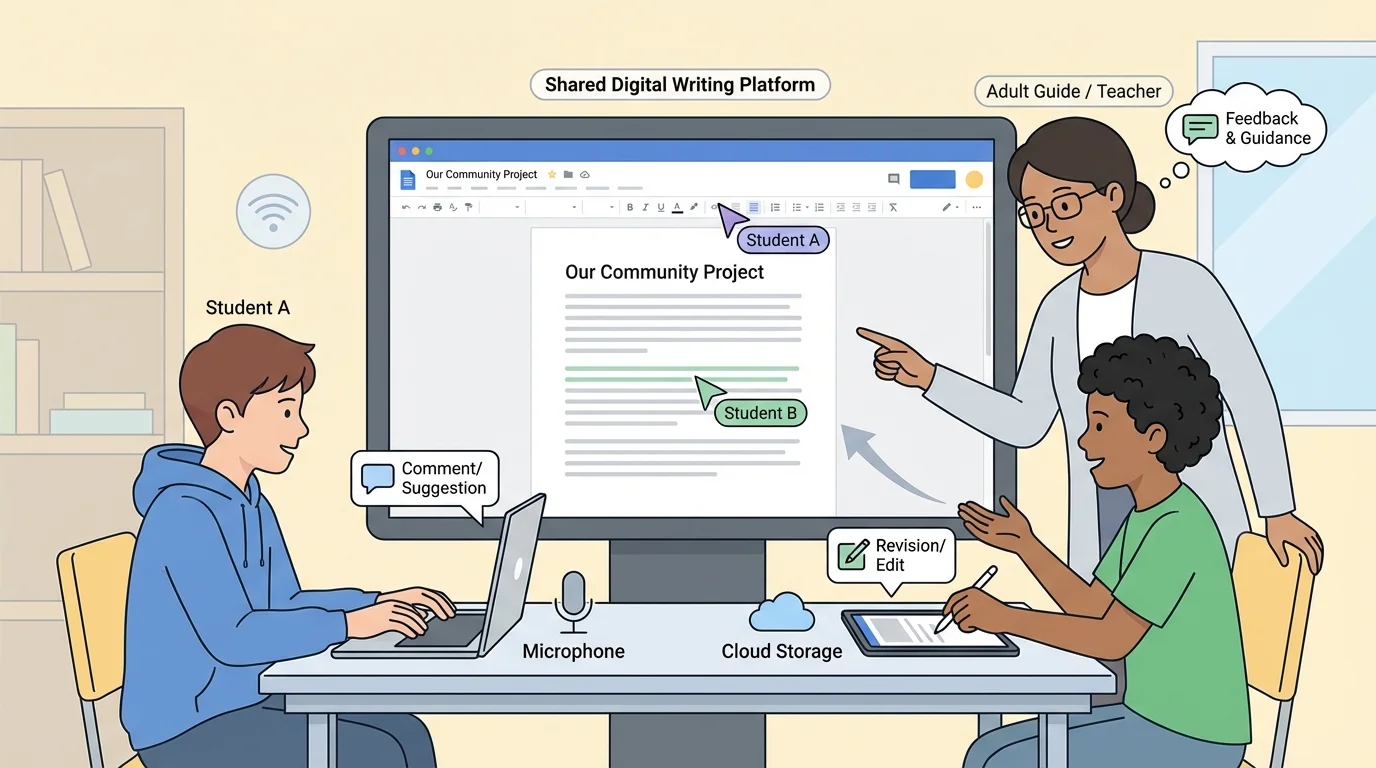
Working with friends also means being kind. Students wait for their turn, use calm voices, and say helpful things like, "Let's add a space," or "I like your idea." A teacher may help the group choose one sentence everyone agrees on.
How collaboration helps writing
When children share ideas, they often make stronger writing. One student may know a good word, another may know where punctuation goes, and another may know how to insert a picture. Working together helps everyone learn.
A class book is a good example. Each child might make one page about a topic like animals, seasons, or favorite foods. Then the teacher helps put all the pages together so the whole class can read the finished book. Later, students can remember the teamwork shown in [Figure 3] when they work on another shared project.
After writers make and fix their work, they can publish it. Publishing means sharing the writing so other people can read it. A teacher might print the page, place it in a class book, show it on the board, or post it in a safe class space online.
Publishing helps writing feel important. When children know others will read their work, they want to make it neat and clear. They may check the title, picture, spelling, and punctuation one more time before sharing.
Example: From sentence to published page
A student writes: I see a bug.
Step 1: Type the sentence on the tablet.
Step 2: Add a picture of the bug.
Step 3: Reread and check the capital letter and period.
Step 4: Save or print the page with help from the teacher.
Now the writing is ready for others to enjoy.
Children may publish alone or with classmates. A shared poem, a class thank-you card, or a group science page can all be published. Adults guide students through the steps so the work is saved correctly and shared in the right place.
Using devices for writing also means learning safe habits. Students should ask an adult before opening new apps, clicking buttons, or sharing writing online. They use only teacher-approved spaces for school writing.
Children also learn not to share private information. A teacher may say that only a first name can go on the page, or that names should not be shared at all. Adults help children understand what is safe to show and what should stay private.
Remember that strong writing tells an idea clearly. Whether writing is on paper or on a screen, writers still use capitals, spaces, spelling, and punctuation to help readers understand.
Being respectful matters too. Students should not erase another person's work without permission. They should use kind words when giving ideas. With adult support, children learn that digital writing is not only about tools. It is also about responsibility, teamwork, and care.
When children use devices to create, fix, and share their words, they become authors in new ways. They learn that writing can be made with fingers on keys, with voices into microphones, and with classmates beside them. With support from adults, digital tools help young writers make their ideas visible to others.
