Have you ever had a moment when one small choice changed everything? Putting a drink far from a tablet can keep it dry. Using a calm voice on a video call can help everyone hear and learn. Safe choices may seem small, but they help you and other people feel calm, protected, and ready to do your best.
Being safe means making choices that help keep bodies, feelings, and things from getting hurt. It also means helping other people feel okay. When people feel safe, learning is easier. You can listen, think, ask questions, and try again.
Safe choice means picking an action that protects you and others. Learn together means people can listen, share, and grow in a calm and respectful way.
At home, safe choices can happen during online lessons, while playing, when using scissors, when walking in a room, or when talking to someone on a screen. A safe choice is not just about one person. It helps everyone around you too.
One easy way to make a good decision is to use three simple steps, as [Figure 1] shows. First, stop. Next, look. Then, choose. This helps your brain slow down before your body acts.
Stop means pause your hands and body. Look means notice what is happening. Is something too fast, too loud, or too close? Choose means pick the action that is safe and kind.
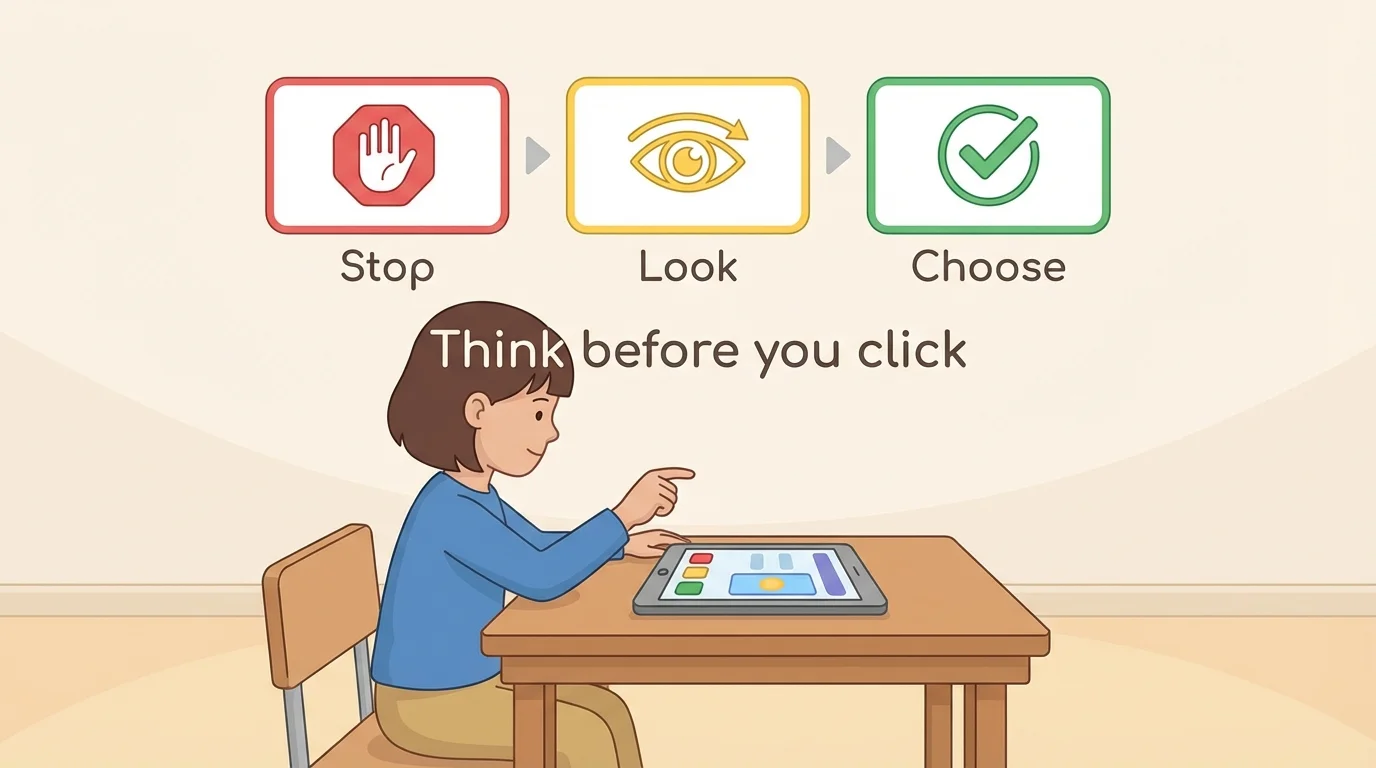
For example, if you want to click a pop-up on a screen, stop first. Look and ask, "Do I know this?" Then choose: do not click and tell a grown-up. If you want to run while holding a pencil, stop. Look at the sharp tip. Then choose to walk carefully or put the pencil down.
Your learning space can help you make safer choices, as [Figure 2] illustrates. A chair that fits, a clear floor, and a device placed safely on a table all help you learn well. When your space is neat, your body can move more safely.
Keep drinks away from computers and tablets. Sit with enough room to move your arms. Keep cords where no one will trip. Use tools the right way. Headphones should not be too loud. If something is broken, hot, sharp, or heavy, do not try to fix or carry it by yourself. Ask a trusted adult.
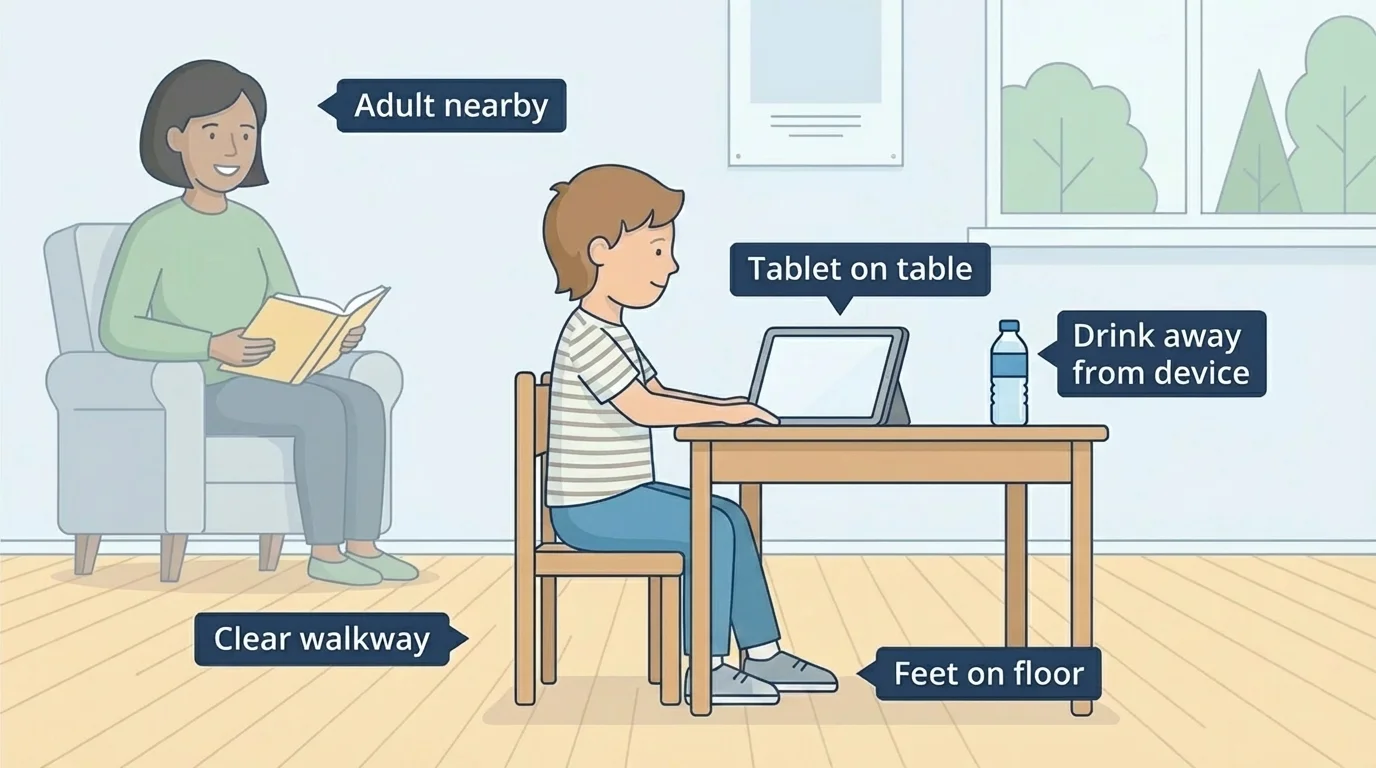
Safe body choices also include listening to your body. If you feel tired, upset, or wiggly, take a quiet break, stretch, get water with permission, or ask for help. Your body gives clues. Paying attention is a kind of problem-solving because you notice a problem and fix it in a safe way.
Good choices protect more than one thing. A strong safe choice often helps your body, your feelings, your learning, and other people at the same time. For example, putting art supplies away safely keeps you from tripping and helps the next person find what they need.
The same three steps from [Figure 1] work here too. Stop before grabbing, climbing, or clicking. Look at the space and the object. Choose the action that keeps people and things safe.
Words matter on screens too, and [Figure 3] shows how kind online behavior helps everyone stay ready to learn. On a video call, safe choices include waiting your turn, using a calm voice, and listening when someone else is speaking.
If you feel excited, you may want to shout or talk over someone. A better choice is to raise your hand, wait, or say, "My turn next, please." Kind words help people feel welcome. Mean words, silly distractions, and loud interruptions can make learning hard for everyone.
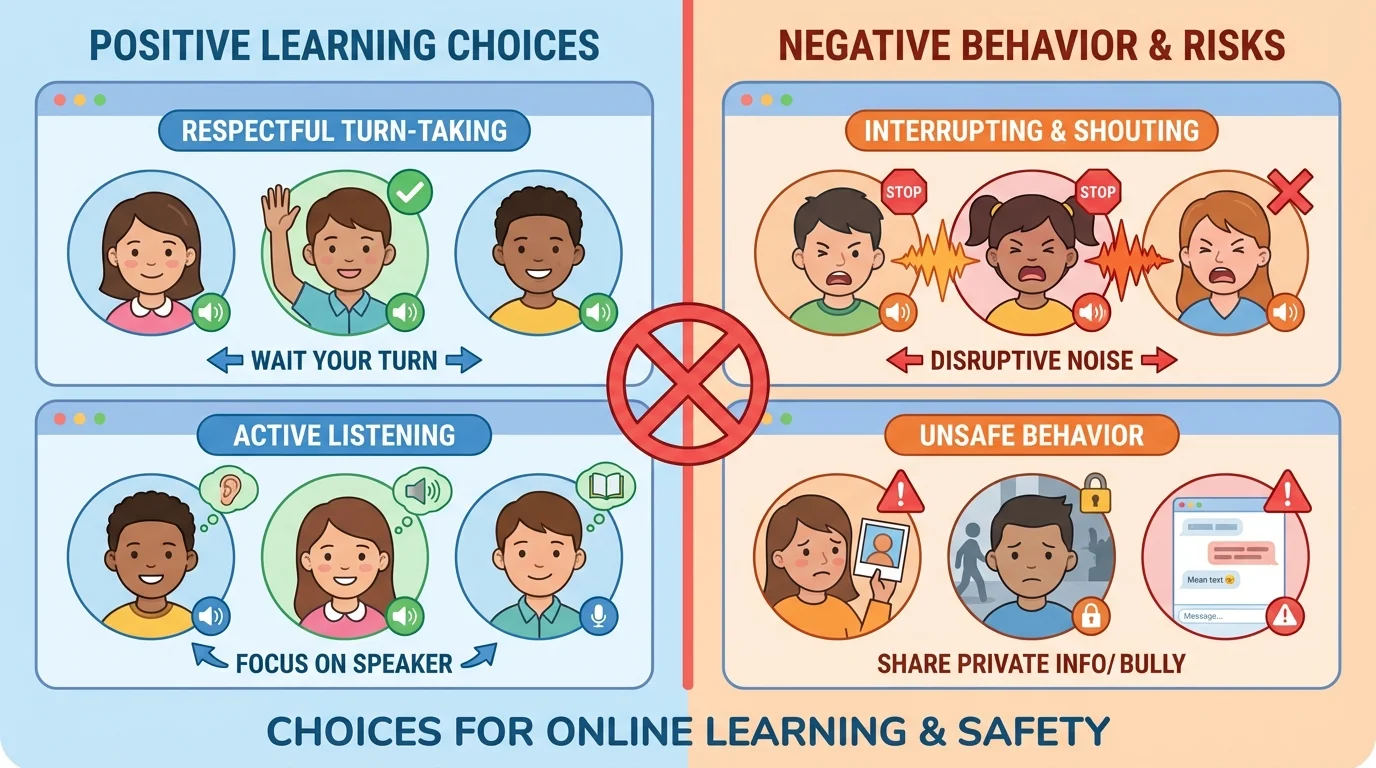
Online safety also means keeping private information private. Your full name, home address, phone number, passwords, and private pictures should only be shared with a trusted adult's help. If a message, game, or person asks for private information, do not answer alone. Tell a trusted adult right away.
Your brain learns better when you feel calm and safe. Kind routines, gentle voices, and clear rules help your brain pay attention.
When you choose calm and respectful words, you help build a space of respect. That means people feel cared for, even when they are learning from different homes.
Sometimes a choice is easier because your feelings give you a clue. If something feels scary, confusing, unsafe, or too private, stop right away. You do not have to solve every problem alone.
You can say, "I need help," "This feels wrong," or "Can you look at this with me?" Trusted adults can help with strange messages, broken objects, unsafe websites, arguments, or big feelings. Asking for help is a smart and responsible choice.
"Stop. Think. Ask for help when you need it."
Sometimes children think being brave means doing everything alone. Real bravery means choosing safety, even when you feel unsure.
Here are some simple times when you can make a safe choice.
Example 1: A drink near a laptop
Step 1: Stop and look.
You see a cup close to the computer.
Step 2: Think about what could happen.
The drink could spill and break the device.
Step 3: Choose.
Move the drink to a safer spot and keep learning.
This choice protects your work and your tools.
That is the same kind of careful thinking shown earlier in [Figure 2]. A safe space helps your brain focus because you are not worrying about spills, trips, or broken things.
Example 2: Someone talks while you are talking on a video call
Step 1: Stop your body from shouting back.
Take a breath.
Step 2: Look at the problem.
Two people want a turn at the same time.
Step 3: Choose kind words.
Say, "You can go, then me," or wait for your turn.
This helps everyone hear and learn.
That matches the online behavior in [Figure 3]. Safe words are not only nice; they also make shared learning smoother and calmer.
Example 3: A pop-up appears on your screen
Step 1: Stop before clicking.
Keep your hands still.
Step 2: Look carefully.
You are not sure what the message is.
Step 3: Choose help.
Call a trusted adult and do not click by yourself.
This keeps your information and device safer.
Try This: Before online learning, look around your space and name one safe choice you can make: move a toy, push in a chair, use a calm voice, or ask an adult to check the screen.
Try This: If you feel stuck, use this short sentence: "Stop, look, choose." Saying it softly can help your brain remember what to do.
