Phones, tablets, computers, and TVs can be fun and helpful, but they are not toys to use all alone. When you use a device with a grown-up, you stay safer, and the device stays safer too. A grown-up can help you choose the right video, game, or button to press.
A trusted adult is a grown-up who helps keep you safe, like a parent, grandparent, or caregiver. When it is device time, stay where your adult can see and help you. You can sit together and look at the screen.
Device means something with a screen or buttons, like a tablet, phone, computer, or TV.
Adult help means a grown-up is near you, watching, helping, and making choices with you.
If you want to watch a show, play a game, or hear a song, ask first. As [Figure 1] shows, your adult can open the app, start the video, and help you stop when device time is done. This keeps you from opening things that are not meant for you.
You keep a device safe when you use gentle hands and a calm body. It helps to sit in one safe spot, keep the device on a table or in your lap, and have your grown-up close by. Hold it carefully. Do not throw it, bang it, or run with it.
Use clean, dry hands. Keep drinks, snacks, and water away from the device. Do not pull cords. Do not put chargers in your mouth. If the device feels hot, has a broken part, or a cord looks damaged, tell your adult right away.
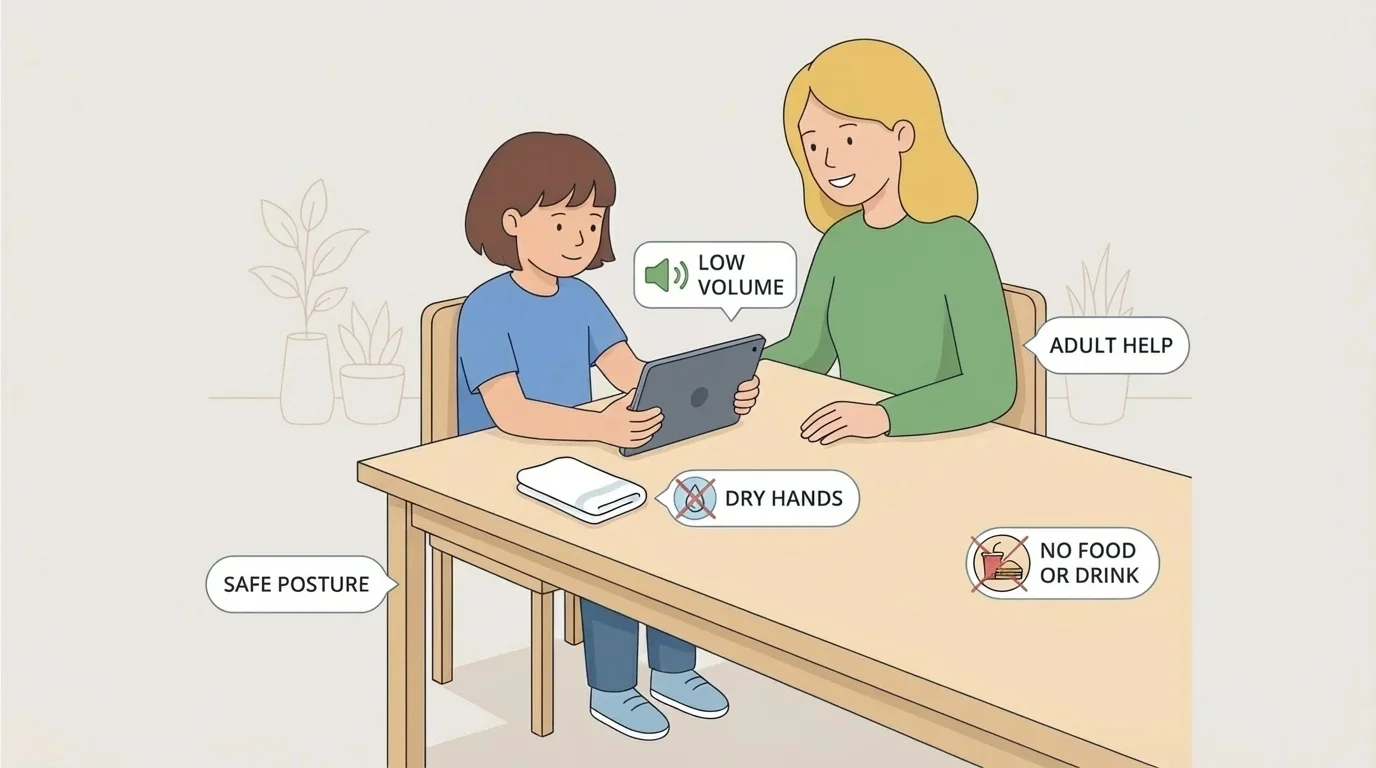
Your body needs safety too. Sit on a chair, couch, or floor with your adult's help. Keep volume low so your ears stay comfortable. If your eyes feel tired, blink, look away, or take a break. A short break can help your body feel better.
Safe device habits are little actions you do every time: sit safely, use dry hands, leave cords alone, and ask an adult for help. Small habits make a big difference.
Later, when you use another device, remember the same safe body rules from [Figure 1]: calm body, gentle hands, and an adult nearby.
Some buttons are okay. Some buttons are not. That is why you should ask before you tap or click. Do not click new pictures, ads, or boxes that pop up. Do not start a download. Do not type words, numbers, or names unless your adult says it is okay.
If the device rings, buzzes, or shows a message, let your adult look first. You do not need to answer calls, video chats, or messages by yourself. Your adult decides who is safe to talk to.
A simple rule you can use
Step 1: Look at the screen.
Step 2: If it is not the thing your adult chose, stop.
Step 3: Keep your hands still.
Step 4: Tell your adult, "Can you help me?"
This rule helps when you see a game you do not know, a button that says to buy something, or a box asking for information. Your adult can decide what to do next.
Sometimes a screen shows something loud, surprising, or confusing. As [Figure 2] shows, a pop-up is a box that suddenly appears on the screen. It may ask you to tap something. In moments like that, the best choice is to stop touching the device and get adult help right away.
You can also see a person you do not know in a video, message, or game. That person is a stranger. Do not talk, type back, or send pictures. Turn to your adult and tell them what happened.
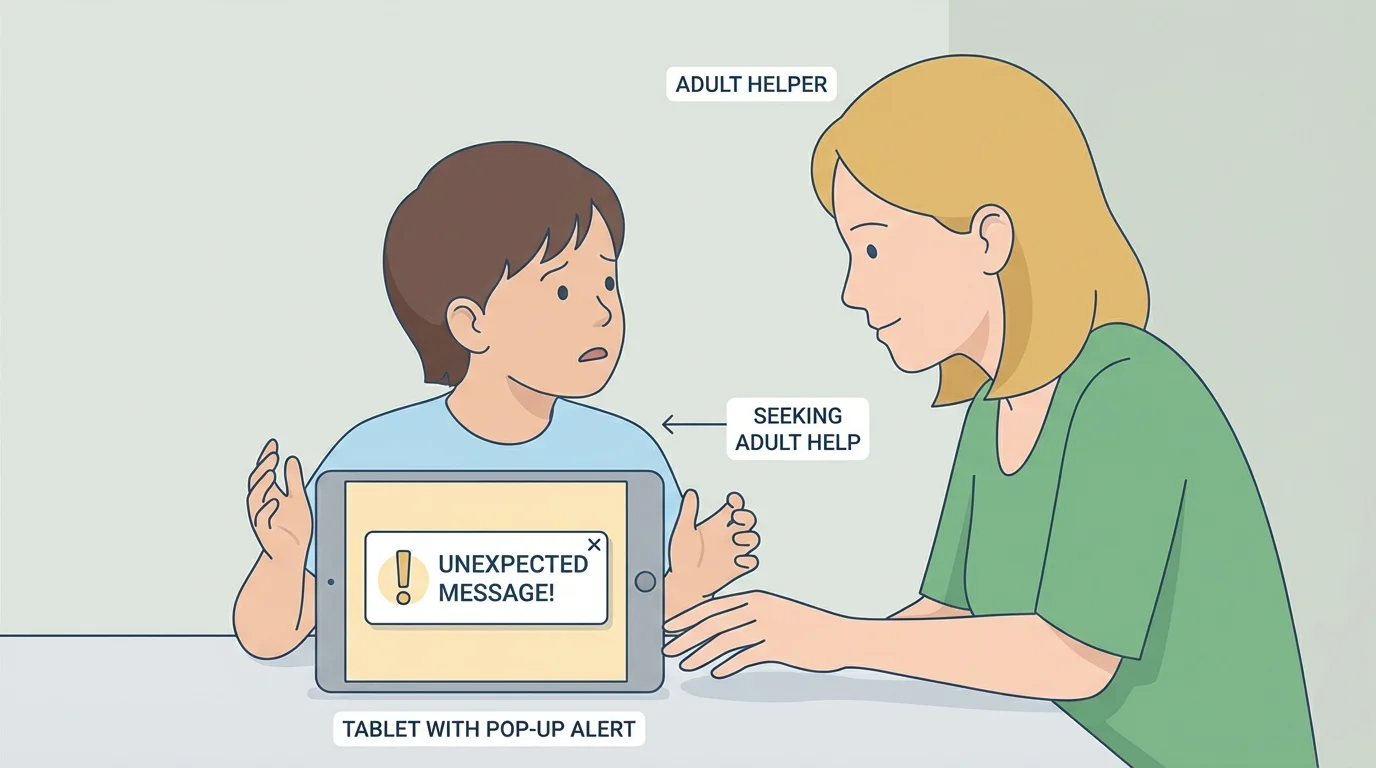
If a device falls, gets wet, cracks, or stops working, do not try to fix it yourself. Give it to your adult. If something on the screen feels scary, yucky, or confusing, you are never in trouble for telling.
Grown-ups use safety settings on devices to help choose what children can watch, hear, or tap. Those settings work best when children still ask for help.
The stop-and-tell idea from [Figure 2] works for many problems: strange videos, loud sounds, messages from people you do not know, or a broken screen.
Safe device use is easier when you have a routine. Use devices in a place where your adult can see you. Put the device away when time is over. Charge it where your adult says. Leave it alone while it charges unless your adult helps you.
Use only the apps, videos, and games your adult picks. When your adult says "all done," it is time to stop. Then your eyes, ears, hands, and brain get a rest. You can play, read, move, or cuddle with a book after screen time.
You do not have to solve device problems by yourself. Safe kids ask for help.
Being safe with devices means three big things: stay with a grown-up, use the device gently, and ask before you tap or talk. These habits help you enjoy technology in a smart, calm, and safe way.
