The internet can show you songs, games, stories, and videos in just a few seconds. That is exciting, but it also means you may see things that are silly, confusing, untrue, or unsafe. Good digital safety means using calm, smart choices with your device, even when something looks fun or interesting.
When you are online, you do not have to decide everything by yourself. A trusted adult can help you stay safe. Safe choices are not about being scared of technology. They are about knowing when to enjoy, when to stop, and when to ask for help.
Digital content is anything you see or use on a screen, like a video, picture, game, message, ad, or website. Some digital content is made to teach or entertain you. Some is made to trick people into clicking or sharing things they should not share.
Safe choice means picking an action that protects your body, your feelings, and your private information online. A safe choice might be closing a page, not answering a message, or asking a trusted adult before you click.
If a video starts by itself, if a game asks strange questions, or if a message suddenly says, "Click now!", that is a clue to slow down. Safe online habits start with one strong move: pause. You do not have to click right away.
Sometimes online things are made to grab your attention. Bright buttons, loud sounds, and exciting words can make you want to tap quickly. But quick clicking can lead to unsafe pages, scary pictures, or requests for personal information. Taking one small pause helps you make a better choice.
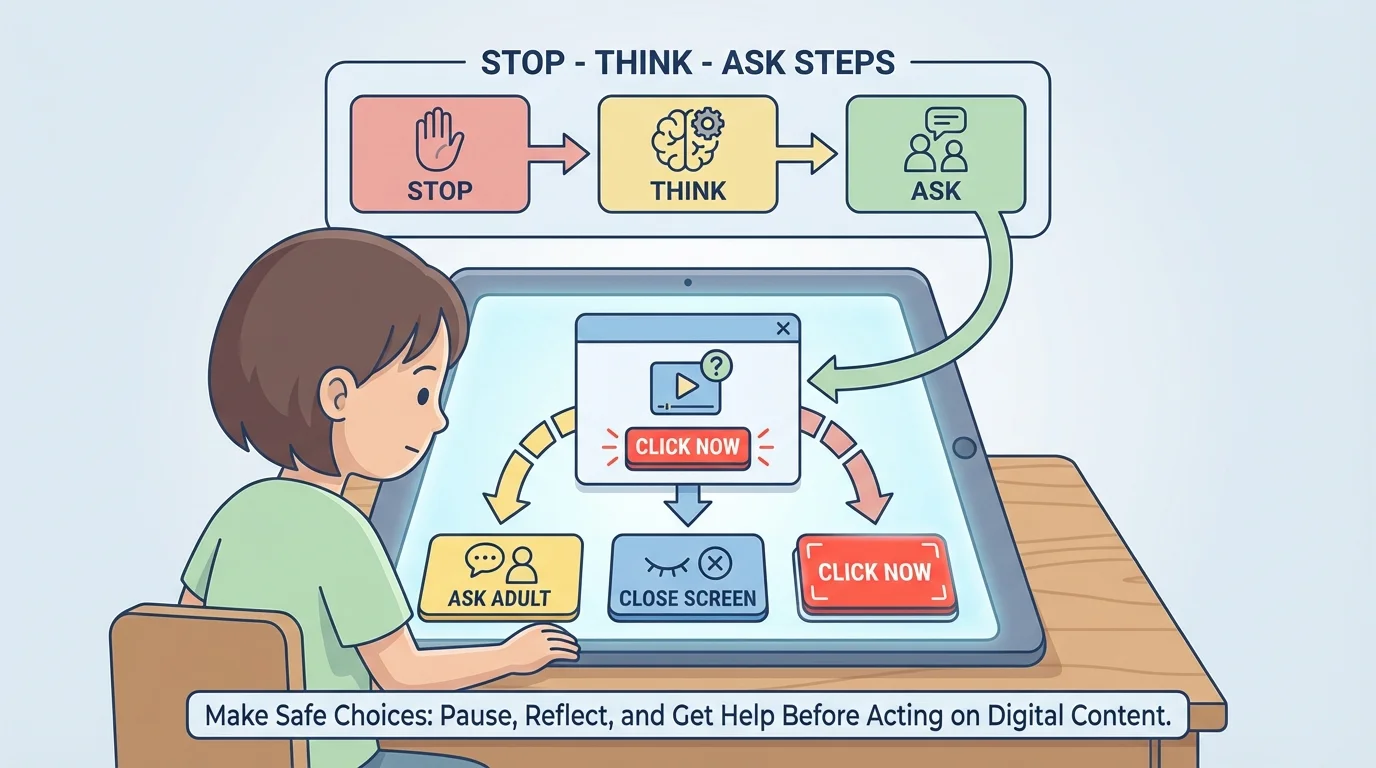
Before you tap a link, button, video, or picture, use a simple pause-and-check habit, as [Figure 1] shows. Ask yourself: Do I know what this is? Did a trusted adult say this is okay? Does this look strange? If you are not sure, do not click yet.
Some things online try to trick you. A pop-up might say you won a prize. A video might promise something impossible. A game might ask you to click a flashing button to keep playing. These can be traps. If something feels too surprising, too pushy, or too confusing, close it and tell a trusted adult.
A link is something you can click that takes you to another place online. Not every link is safe. Only click links from places your family knows and trusts. If a message comes from someone you do not know, the safest choice is not to click.
Safe clicking example
You are watching a video, and a box pops up that says, "Tap here for a secret prize!"
Step 1: Stop.
Do not tap the box just because it is exciting.
Step 2: Look.
Ask if this box appeared out of nowhere or seems strange.
Step 3: Choose safely.
Close the box or ask a trusted adult for help.
That is a smart choice because you protected your device and yourself.
Sometimes a click does not just open a page. It can start a download, open many ads, or show something upsetting. The stop-think-ask idea from [Figure 1] helps you with games, videos, messages, and ads too.
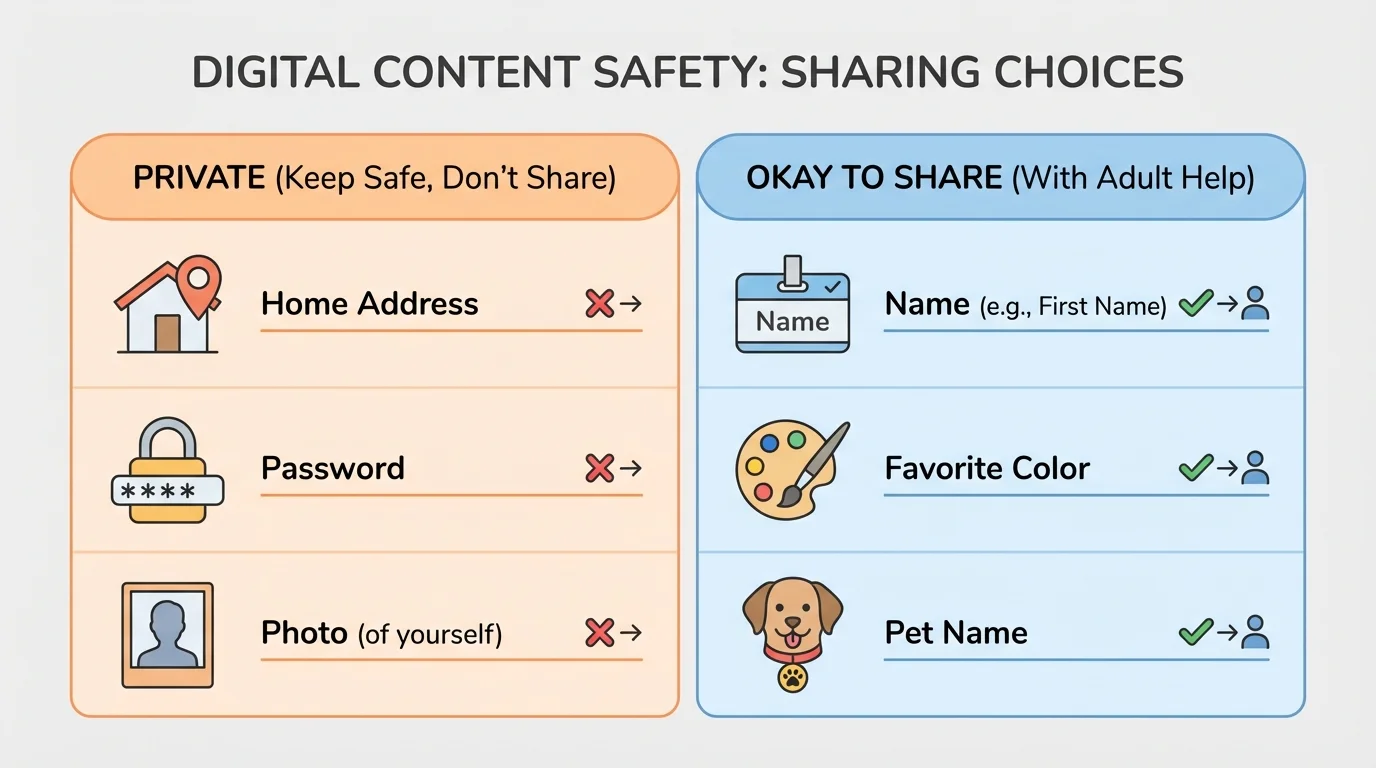
Sharing online can seem small, but it matters. Some information is private information, as [Figure 2] explains, and it should stay with you and trusted adults. Private information includes your full name, home address, phone number, password, school schedule, and where you are right now.
Photos can be private too. Before sharing a picture, ask a trusted adult. A photo might show your face, your home, a street sign, or something with your name on it. Even if the picture seems harmless, it is best to check first.
You should also ask before sending voice messages, typing in a chat, or posting a comment. Kind words are important, but safe words are important too. Never share a password with a friend or with someone in a game. Passwords are for you and trusted adults only.
Ask before you share
A good rule is: if it is about you, your family, your home, or your account, ask a trusted adult first. It is always okay to wait. Safe sharing is better than fast sharing.
Sometimes a person online may seem friendly and ask questions like, "What is your real name?" or "Where do you live?" You do not have to answer. You can leave the chat, close the game, and tell an adult. The private items in [Figure 2] are good reminders of what should stay protected.
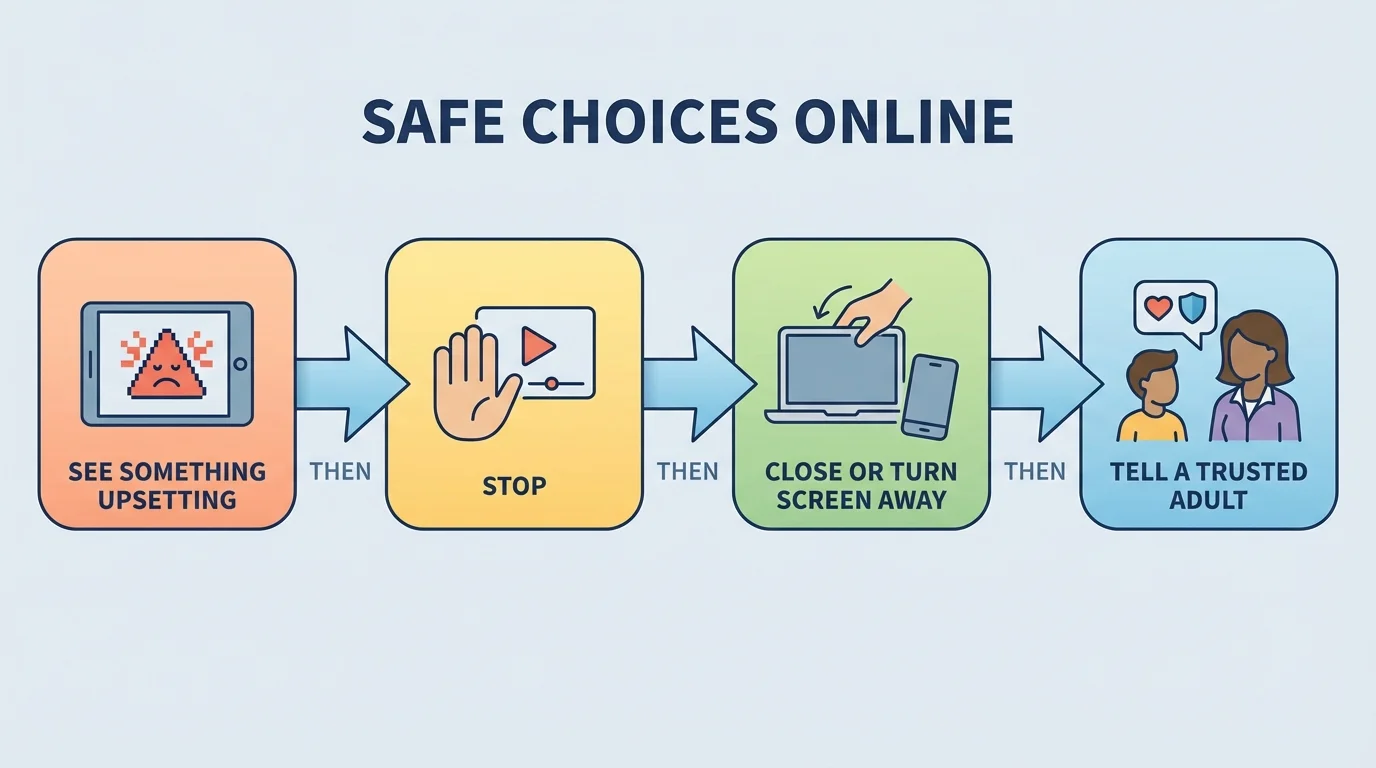
Not all unsafe content looks dangerous at first. Some online things feel weird, mean, scary, or secret. A trusted adult can help you any time, and [Figure 3] shows an easy plan: stop, close, and tell. If a message says, "Don't tell your grown-up," that is a very big clue that something is wrong.
Mean comments, scary pictures, and messages from strangers can make your body feel tight or upset. You might feel confused, worried, or curious. Those feelings are important clues. When your feelings say something is not right, listen to them and get help.
Your safety steps are simple: do not reply, do not keep looking, and tell a trusted adult. You will not get in trouble for asking for help. Getting help is the safe and brave thing to do.
Many tricky messages try to make people act fast. When you slow down instead, you make it much harder for a trick to work.
If a screen shows something upsetting, you can turn the device away, close the tab, or put the device down until an adult comes. The safety steps in [Figure 3] work for scary videos, rude messages, and strange requests.
Here are easy rules to remember when you are online at home: know the app or website, ask before you click something new, keep private information private, and tell a trusted adult when something feels wrong.
You do not have to be perfect. Everyone can make mistakes online. What matters most is using safe habits again and again. Every time you pause, check, and ask for help, you are building strong digital safety skills.
"When you are not sure, stop and ask."
Try This: The next time you use a game, video site, or app, say these words quietly before you tap: stop, think, ask. This tiny habit can help you make safe choices every day.
