A message on a screen can travel very fast. Even though you cannot touch it, your words, pictures, and clicks can still affect real people. A kind message can make someone smile. A mean message can hurt someone's feelings for a long time.
When you are in a game, on a class platform, on a video call, or in a family chat, your online actions matter, as [Figure 1] shows. If you type something, share a picture, or press a button, another person may feel happy, included, embarrassed, scared, or left out because of what you did.
An online action is something you do on a phone, tablet, or computer. It can be sending a message, posting a photo, joining a game chat, clicking a reaction, or sharing a video. These actions may seem small, but they can have big effects on other people.
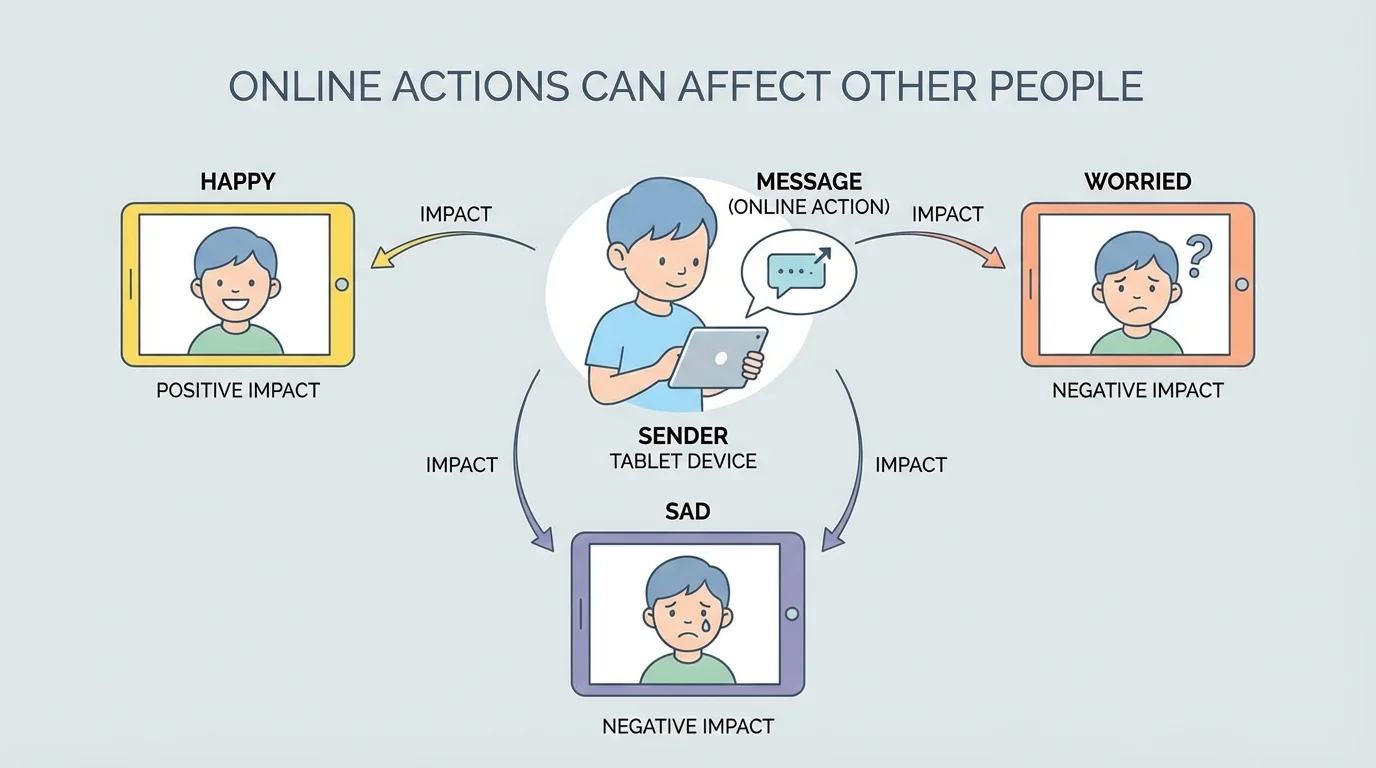
If you send, "Great job on your drawing," your friend may feel proud. If you send, "That is ugly," your friend may feel sad. Because screens cannot convey hugs or gentle expressions, people may feel words even more strongly online.
Privacy means keeping personal information and personal moments safe. Permission means asking first and getting a yes before you share something about someone else.
Sometimes children think, "It is only online." But online is still real life. Real people read the words. Real people see the pictures. Real people remember how they were treated.
Kind words help people feel safe and welcome online. Unkind words can make people feel hurt or alone. This is true in game chats, text messages, comments, and video calls.
A message can be short, but it still matters. "Want to play?" is friendly. "Go away" is unkind. "You can join us" helps someone feel included. "Nobody wants you here" can make someone feel very sad.
It is also important to think about jokes. A joke that seems funny to you might not feel funny to someone else. If a joke is about a person's face, voice, family, name, or mistakes, it can be hurtful.
Helpful choices in everyday online moments
Step 1: If someone shares a picture they made, write something kind like, "I like the colors!"
Step 2: If you are upset in a game, do not type mean words. Put the device down for a moment and take a breath.
Step 3: If someone is left out in a group chat, invite them kindly if it is safe and appropriate.
Small kind choices can make online spaces feel better for everyone.
You cannot always see a person crying through a screen. That is one reason kindness matters so much online. When you are not sure what to say, choose words you would be happy to hear yourself.
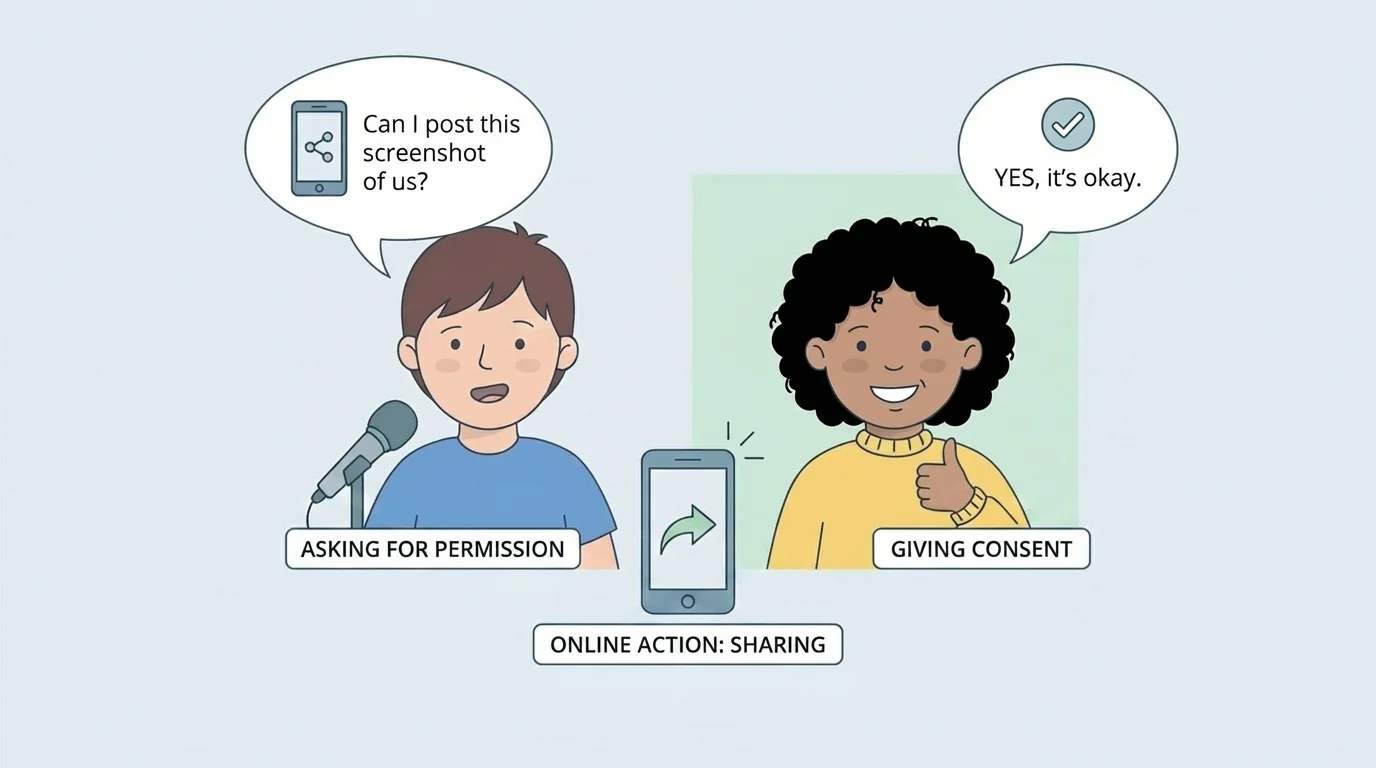
Pictures and information need extra care. In [Figure 2], one child asks before sharing a picture, and that is the safe and respectful choice. If you take a screenshot, record a video call, or post a photo of another person, ask first.
Maybe your cousin makes a silly face on a video call. You might think it is funny and want to share it. But that picture belongs to a real moment in their life. They may feel embarrassed if you share it without asking.
Permission means checking with the other person first. If they say no, do not share it. Being a good digital citizen means respecting other people's choices about their own pictures and information.
Some information should stay private. Do not share your full name, home address, phone number, passwords, or where you are going. Keep your own information safe, and keep other people's information safe too.
This is part of privacy. Privacy helps protect feelings and safety. When you keep private things private, you help people feel respected and secure.
| Online choice | May help people feel | May hurt people when done badly |
|---|---|---|
| Send a kind comment | Happy, included | If mean, sad or embarrassed |
| Share a photo with permission | Respected, safe | If shared without asking, upset or embarrassed |
| Keep private info private | Safe, protected | If shared, worried or unsafe |
| Invite someone kindly | Welcome, noticed | If left out on purpose, lonely |
Table 1. Examples of online choices and how they can affect other people.
Before you send a message or post something, use a simple check, as [Figure 3] shows. This helps you slow down and make a safe, kind choice.
Step 1: Pause.
Step 2: Read it again.
Step 3: Ask, "Is it kind?"
Step 4: Ask, "Is it safe?"
Step 5: If you are not sure, ask a trusted adult.
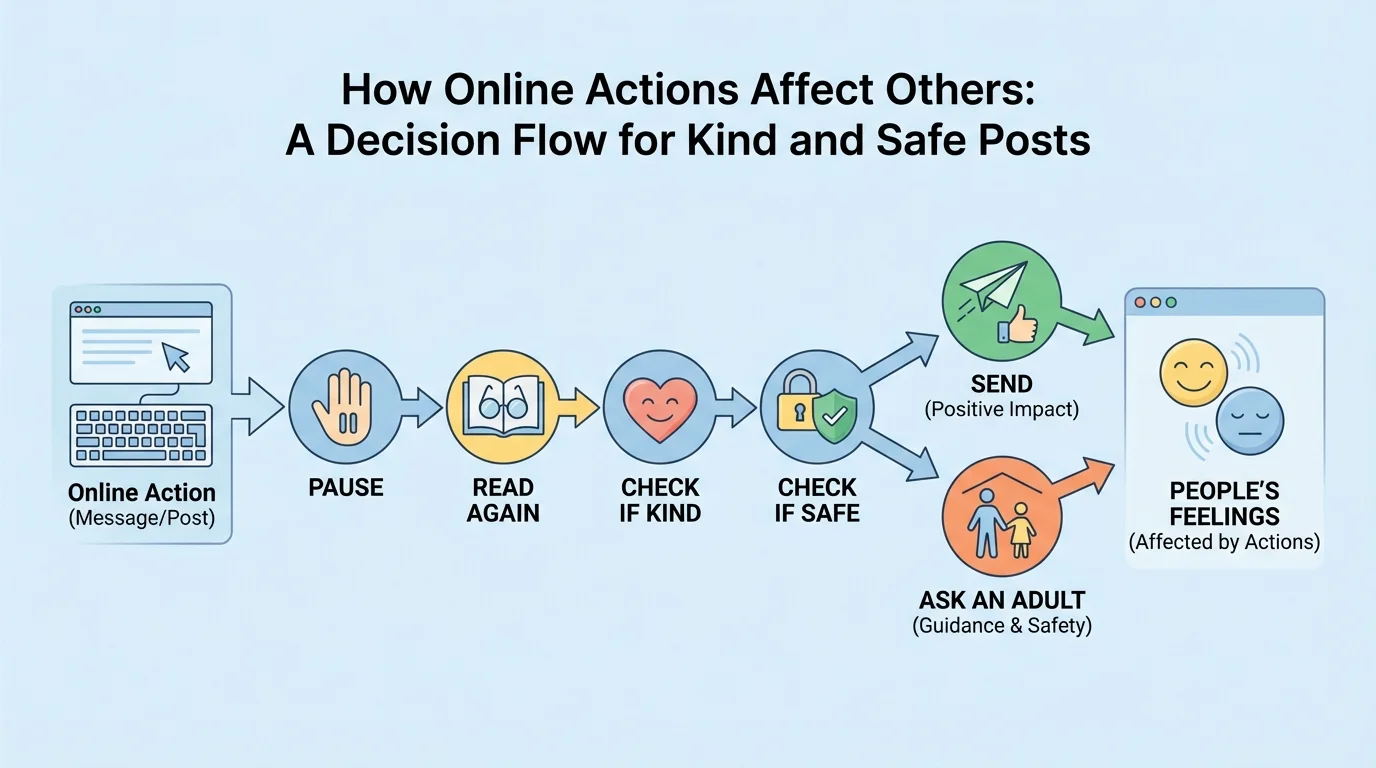
Here is what that can sound like in your mind: "Will this make someone smile or feel hurt?" "Am I sharing something private?" "Did the person say yes?" "Would I be okay if someone sent this about me?"
The pause-think-check habit is a smart way to stay safe and kind online. When you pause, your brain gets time to make a better choice. Fast clicks can cause problems, but careful clicks can protect people's feelings and privacy.
If the answer is not clear, do not send it yet. Waiting is okay. Asking for help is okay. A grown-up you trust can help you decide what to do next.
Sometimes another person may send something mean, scary, or confusing. If that happens, remember this: it is not your job to fix it by yourself.
You can tell a trusted adult right away. That might be a parent, guardian, teacher, or another adult who helps keep you safe. You can also stop replying, leave the app, or show the screen to the adult.
If someone asks for private information, asks for pictures, or tells you to keep an online secret from your adult, that is a warning sign. Get help right away.
Your brain can remember hurtful online words for a long time, even after the screen is turned off. That is why kind choices and quick help are both so important.
The same caring idea from [Figure 1] still matters here: online actions affect real feelings. And the picture-sharing reminder in [Figure 2] connects to safety too, because asking first protects privacy.
You can use the internet to do good things. Send encouraging words. Invite someone kindly. Tell the truth. Give credit if someone made a picture or idea. Ask before sharing. Use the pause-think-check steps from [Figure 3] whenever you are unsure.
Being a good digital friend does not mean being perfect. It means trying your best to be kind, careful, and honest. If you make a mistake, you can say sorry, delete something if possible, and choose better next time.
"Pause. Think. Be kind. Stay safe."
Every click is a choice. When you choose kindness and safety, you help make online spaces better for everyone.
Try This: Before you send your next message, whisper to yourself: "Kind? Safe? Okay to share?" That tiny habit can help protect feelings and privacy every day.
